

Free on Tutorly.sg
Practise with step-by-step help — free to start
On Tutorly.sg/app you can practise unlimited Singapore syllabus questions, get instant explanations when you are stuck, and use past-year papers — no sign-up needed to start.
- ✓ PSLE, O Level, A Level, and more
- ✓ Step-by-step working when you are stuck
- ✓ Works on phone and laptop
If you’re a Secondary or O Level student in Singapore, you’ve probably seen tons of ads for computer courses:
- “Python for Teens”
- “O Level Computing Crash Course”
- “Coding Bootcamp for Secondary Students”
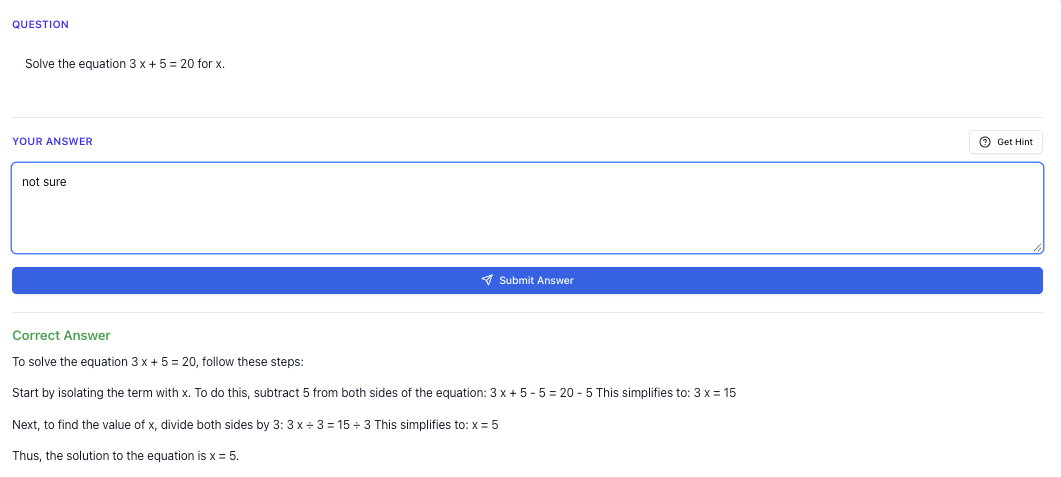
“Stuck on a question? See simple explanations that help you understand fast.”
👉 Give it a try and turn confusion into clarity in minutes.
But when you click in… the prices can be shocking.
150 per 2‑hour lesson?
$2,000 for a “full programme”?
And then the big question comes in your head:
“Is this actually worth it for my O Levels… or am I just paying for branding?”
This guide is here to help you compare computer course prices in Singapore properly — not just by looking at the number, but by understanding what value you’re getting, especially if you’re:
- Taking O Level Computing
- Using computer-related skills for Math, Science, or coursework
- Or just trying to build strong digital skills without burning your parents’ wallet
I’ll also show you how you can use Tutorly.sg — a AI tutor website built for Singapore students — as a cheaper and more flexible alternative or supplement to expensive computer courses.
Tutorly.sg has already been used by thousands of students in Singapore, and it’s even been mentioned on Channel NewsAsia (CNA), so it’s not some random overseas tool that doesn’t understand MOE or O Levels.
You can check it out here:
- Main AI tutor page: https://tutorly.sg/ai-tutor-singapore
- Direct access to the web app: https://tutorly.sg/app
Understanding Computer Course Prices in Singapore
Before comparing, you need to know what you’re actually comparing.
1. Typical price ranges for Secondary / O Level students
These are rough ranges you’ll see in Singapore (as of recent years) for computer-related courses targeted at Secondary students:
-
Short holiday coding camps (3–5 days)
- Around $250–$800 total
- Usually 2–3 hours per day
- Focus: basic Python, Scratch, simple apps, games
-
Weekly group classes (coding / computing)
- Around $40–$90 per 1.5–2 hour lesson
- Often paid by term (8–12 lessons), so $320–$900 per term
-
O Level Computing tuition (small group / 1‑to‑1)
- Group: $50–$80 per lesson
- 1‑to‑1: $70–$120 per lesson
- Usually weekly, so $200–$480 per month
-
Intensive O Level crash courses (June/Sept holidays)
- Around $300–$1,200 depending on length and brand
- Focus: exam practice, key topics, past-year questions
-
Online subscription platforms (non-SG specific)
- Around $20–$60 per month
- Usually not aligned to MOE / O Level Computing
- Good for general coding, not exam-specific
Compare that to Tutorly.sg:
- Tutorly is a AI tutor website
- You pay a subscription (much lower than weekly physical tuition)
- You can ask unlimited questions across subjects (including Computing-related logic, algorithms, and math)
You can try it here: https://tutorly.sg/app
2. What are you really paying for?
When you see a price, ask yourself:
You’re not just paying for hours. You’re paying for:
-
Curriculum relevance
- Is it aligned to MOE / O Level Computing or just generic “coding for fun”?
- Does it cover things like flowcharts, algorithms, pseudocode, Python basics, data representation, etc.?
-
Exam focus
- Do they teach you how to score in Paper 1 (Written) and Paper 2 (Practical)?
- Or is it just “let’s build a game” without exam skills?
-
Practice and feedback
- Do you get marking, corrections, and model answers?
- Or is it mostly theory and demos?
-
Flexibility
- Can you learn at your own pace, or must you follow a fixed schedule?
- If you miss a class, is it gone?
-
Support outside class
- Can you ask questions when you’re stuck on homework at 11pm?
- Or do you have to wait till next week?
This is where Tutorly.sg stands out for many students: it’s always available, aligned to Singapore’s MOE syllabus, and you can ask it questions anytime — especially when you’re stuck on a difficult O Level Computing or math/physics question.
Step-by-step Tutorial: How to Compare Computer Course Prices (Properly)
Let’s walk through a practical 6-step process you can follow with any course you see online.
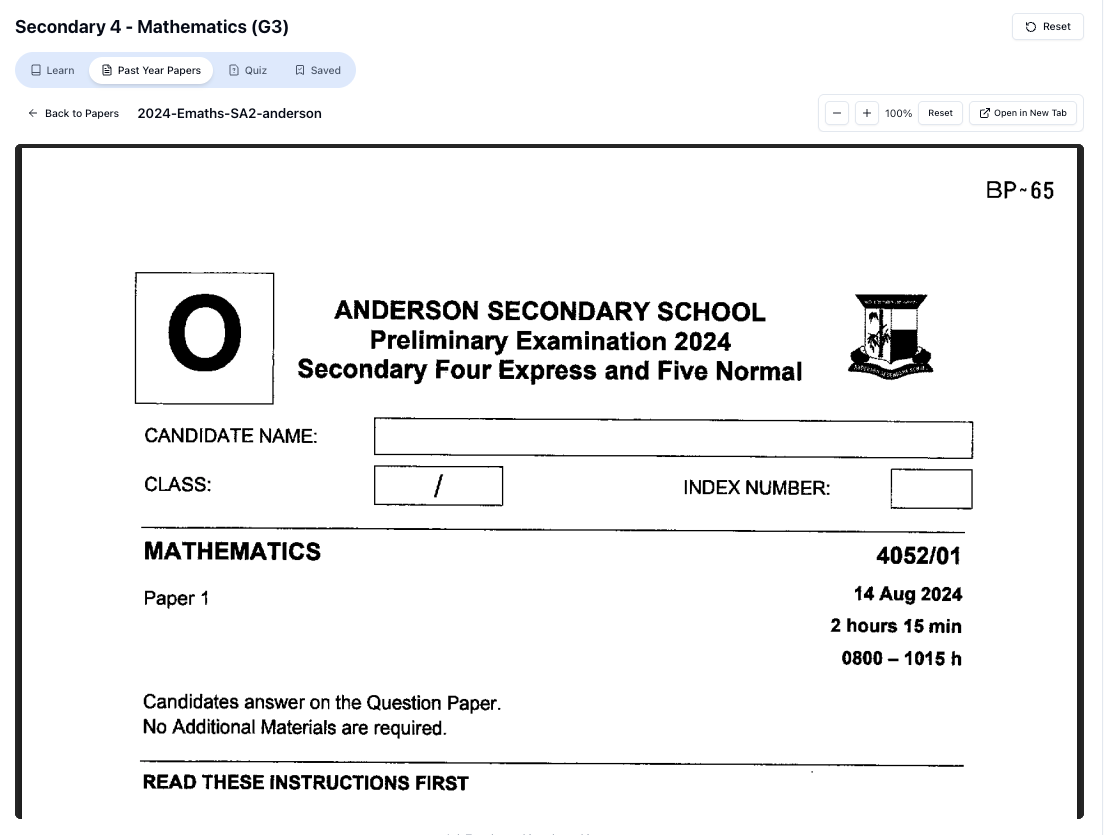
“Access more than 1000+ past year papers to practice”
👉 Start a paper today and test yourself like it’s the real exam.
Step 1: Decide your real goal
Before even looking at prices, be honest with yourself:
- “I want to score A 1 or A 2 for O Level Computing.”
- “I’m not taking Computing, but I want strong Python / logical thinking to help with Math/Science.”
- “I just want basic digital skills — spreadsheets, presentations, simple coding.”
Your goal matters because:
- O Level Computing exam prep needs exam-focused content.
- General coding enrichment can be more flexible and project-based.
- If your main stress is exams (PSLE → Sec → O Levels), you should not pay premium prices for things that don’t help your grade.
Step 2: Check MOE / O Level alignment
For O Level Computing, pull up the MOE syllabus (you can search: “O Level Computing syllabus Singapore PDF”).
Look at topics like:
- Data representation (binary, hexadecimal)
- Problem-solving and design (algorithms, flowcharts, pseudocode)
- Programming (often Python)
- Databases, spreadsheets, etc.
Then, for each course:
- Does the course explicitly mention O Level Computing?
- Do they mention Paper 1 and Paper 2 skills?
- Do they show sample questions similar to Ten-Year Series?
If not, but your goal is exam grades, then even a cheap course may be poor value.
With Tutorly.sg, you can directly ask O Level-style questions:
“Explain how to convert decimal 45 to binary for O Level Computing.”
“Show me step-by-step how to design an algorithm using pseudocode for this problem…”
Tutorly will respond in a way that matches typical MOE / O Level expectations.
Explore it here: https://tutorly.sg/ai-tutor-singapore
Step 3: Calculate cost per useful hour
Don’t just look at the total price. Break it down.
Example:
-
Course A: $600 for 10 lessons, 2 hours each
- Total hours = 20
- Cost per hour = 600 / 20 = **\30/hour**
-
Course B: $360 for 8 lessons, 1.5 hours each
- Total hours = 12
- Cost per hour = 360 / 12 = **\30/hour**
They’re actually the same cost per hour.
But now ask: how many of those hours are actually useful to you?
If:
- 30% is admin / waiting / slow classmates / repeated explanation you already know
- Only 70% is new, relevant content
Then your effective cost per useful hour is higher.
With something like Tutorly.sg, you don’t have “wasted time”:
- You ask exactly what you’re stuck on
- You get step-by-step explanations immediately
- You can move faster if you already understand the basics
So even if the subscription price per month looks similar to one or two physical lessons, the amount of targeted help you get can be much more.
Step 4: Look at practice and exam-style questions
For O Levels, you must ask:
- Do they provide O Level-style questions?
- Do they teach you how to answer in the correct format (especially for algorithms, trace tables, and explanations)?
- Do they give worked solutions, not just answers?
If you’re comparing:
- Course X: Fun projects, no exam questions
- Course Y: Slightly more expensive, but includes past-year O Level-style practice
Course Y may be much better value if your goal is grades.
On Tutorly.sg, you can:
- Paste any question (from school, assessment book, or Ten-Year Series)
- Get a step-by-step solution
- Ask follow-up questions until you truly understand
This is extremely useful when your school teacher is busy and you don’t have tuition that day.
Try it yourself at: https://tutorly.sg/app
Step 5: Consider flexibility and timing
Secondary life is busy:
- CCA
- School projects
- Tuition for other subjects
- Family commitments
If a course is:
- At a fixed time you often can’t make
- Far from your house
- Non-refundable or hard to reschedule
Then even if the price is okay, the actual value to your life is lower.
Flexible options like online platforms or AI tutors let you:
- Study at 11pm after finishing homework
- Revise quickly before a test
- Do short, focused sessions (e.g. 20 minutes) instead of 2-hour blocks
This is exactly why many students use Tutorly.sg alongside school — it fits into your schedule instead of forcing you to fit into theirs.
Step 6: Compare against a baseline
Ask yourself:
“If I spent this same money on something else, would it help me more?”
For example:
- $600 on a 10-lesson coding course vs
- $600 spread across several months of \frac{24}{7} AI tutoring that helps with Computing, Math, Physics, and more
If you’re juggling multiple subjects, a multi-subject tool like Tutorly.sg often gives more value than a single-subject, fixed-schedule course.
Exam Strategy Guide: Using Computer Courses (and Tutorly) to Boost O Level Scores
Now let’s talk about how to use whatever you choose — course, tuition, or Tutorly — to actually help your O Level Computing or related subjects.
1. For O Level Computing students
You need to think in terms of Paper 1 and Paper 2.
Paper 1 (Written) strategy
Key tested areas often include:
- Algorithms (pseudocode, flowcharts)
- Tracing code
- Data representation (binary, hex, ASCII)
- Software, hardware, networks, ethics
Use your course or Tutorly like this:
- After school, list out topics you didn’t fully get in class.
- For each topic, ask Tutorly:
- “Explain how to convert from decimal to binary step-by-step, like in O Level questions.”
- “Show me an example of a trace table question and solution.”
- Try to solve a similar question yourself, then ask Tutorly to show the solution so you can compare.
Keep your focus on exam-style wording:
- “State”
- “Explain”
- “Describe”
- “Identify”
These keywords matter for how many marks you get.
Paper 2 (Practical) strategy
You’ll usually work with:
- Python programming
- Spreadsheets
- Databases (depending on school)
Your strategy:
- Practise short coding tasks daily (10–20 minutes).
- When stuck, paste the question into Tutorly and ask:
- “Show me a step-by-step solution in Python for this O Level-style problem.”
- Don’t just copy the code — ask follow-up questions:
- “Why did you use a
whileloop instead offor?”- “What does this line mean?”
This builds real understanding, which is what you need in the exam.
2. For students not taking Computing but needing computer skills
If you’re not doing O Level Computing, but you still want computer skills to support other subjects:
- Use short courses or school CCA for exposure
- Use Tutorly.sg for regular practice and homework help
Examples:
Free on Tutorly.sg
Practise with step-by-step help — free to start
On Tutorly.sg/app you can practise unlimited Singapore syllabus questions, get instant explanations when you are stuck, and use past-year papers — no sign-up needed to start.
- ✓ PSLE, O Level, A Level, and more
- ✓ Step-by-step working when you are stuck
- ✓ Works on phone and laptop
-
Use Python to practise Math logic (e.g. loops for sequences, simple simulations).
-
Use spreadsheets to help with Science data analysis.
-
Ask Tutorly:
-
“Explain this Python error message to me.”
- “Show me how to write a simple program to calculate averages.”
You get the benefit of computer skills without needing to commit to expensive long-term courses.
Worksheet Practice
Let’s go through some practice questions you might see in O Level Computing or similar contexts. Try them yourself first, then see how you might use Tutorly.sg to check and learn.
Section A: Algorithm and pseudocode (moderate)
Question 1 (Moderate)
Write an algorithm in pseudocode to:
- Ask the user to enter 5 test scores (each between 0 and 100)
- Calculate the average score
- If the average is 75 or more, output
Distinction - Otherwise, output
Pass
Suggested structure (try this yourself):
- Use a loop to read 5 scores
- Keep a running total
- Compute average = total / 5
- Use IF…ELSE to output result
On Tutorly.sg, you could paste your pseudocode and ask:
“Show me a step-by-step solution for this O Level-style pseudocode question and explain each line.”
You’ll see a clear model solution and explanation.
Section B: Data representation (moderate → hard)
Question 2 (Moderate)
Convert the decimal number to an 8-bit binary number.
You should get something like:
Steps you should know:
- Divide-by-2 method, or
- Use place values:
Try it, then ask Tutorly:
“Show the step-by-step conversion of decimal 45 to 8-bit binary, like for O Level Computing.”
Question 3 (Harder)
A pixel in a black-and-white image is stored using 1 bit.
A pixel in a greyscale image is stored using 8 bits.
- How many different shades of grey can be represented using 8 bits?
- Explain why increasing the number of bits per pixel improves image quality.
This is a classic explain-type question. You must:
- Use reasoning:
- Explain in words (not just numbers)
You could ask Tutorly:
“Mark my answer to this O Level Computing question and show me a better model answer.”
Tutorly will not “mark like a teacher” officially, but it can compare your answer with a strong model answer and show what you might be missing.
Section C: Programming logic (hard)
Question 4 (Hard)
A program asks the user to enter a positive integer 𝑁.
The program then outputs the sum of all even numbers from to 𝑁 (inclusive).
Example:
If , the program outputs 2 + 4 + 6 + 8 + 10 = 30.
- Write pseudocode for this algorithm.
- Then write the equivalent Python code.
“Doing Secondary Science? Pick a topic and practise like it’s a real exam — with clear answers right after.”
👉 Try Tutorly now and start a Science topic in seconds.

Hints:
- You need a loop from 1 to 𝑁.
- Check if a number is even using
number MOD 2 = 0(pseudocode) ornumber % 2 == 0(Python). - Keep a running total.
This is a harder variant because:
- You must handle condition inside a loop
- You must translate between pseudocode and Python
You can solve it, then ask Tutorly:
“Show me step-by-step how to write this algorithm in pseudocode and Python, and explain each part.”
Section D: Trace table (hard)
Question 5 (Hard)
Consider the following pseudocode:
SET total TO 0
FOR count FROM 1 TO 5
    INPUT number
    IF number > 10 THEN
        total ← total + number
    ENDIF
NEXT count
OUTPUT total
Suppose the user enters these values, in order:
5, 12, 10, 25, 8
- Complete a trace table showing the values of
count,number, andtotalafter each loop. - State the final output.
This is the type of logic-heavy question many students struggle with.
If you get stuck, you can ask Tutorly:
“Help me complete a trace table for this pseudocode, step-by-step, like in O Level Computing.”
Tutorly will walk through each iteration and show how total changes.
Common Mistakes When Choosing and Using Computer Courses
Now that you’ve seen how practice can look, let’s talk about common mistakes students (and parents) make when comparing computer course prices.
Mistake 1: Paying premium prices for non-exam content when you’re exam-stressed
If you’re Sec 3 or Sec 4 and feeling stressed about O Level Computing, but you sign up for a course that’s mostly:
- Game building
- Drag-and-drop coding
- “Fun projects” with no exam skills
Then even if the course is very “cool”, it won’t reduce your exam stress much.
Fix:
Be clear: if your main stress is O Level grades, choose resources (or use Tutorly) that directly target:
- O Level-style questions
- Marking schemes
- Real exam formats
Mistake 2: Assuming higher price = better
Some centres charge more because:
- They’re in a premium mall
- They have fancy branding
- They provide laptops, snacks, etc.
Those things don’t help your marks directly.
Fix:
Compare content, teacher expertise, and exam alignment, not just price and location. Sometimes, a combination of:
- School teacher
- A few focused lessons
- And consistent use of Tutorly.sg
gives better results than an expensive long-term course.
Mistake 3: Ignoring flexibility and your real schedule
A course can be high-quality but still not suitable if:
- You’re always late because of CCA
- You’re too tired by the time the class starts
- You keep missing lessons due to tests or competitions
Fix:
Think realistically about your week. You may be better off with:
- Occasional in-person help
- Daily short sessions with Tutorly.sg whenever you’re free
This way, you still get consistent learning without overloading yourself.
Mistake 4: Not practising enough on your own
Some students think:
“I’m paying for a course, so that’s enough.”
But O Level Computing, like Math, needs practice. You must:
- Write code yourself
- Do trace tables
- Attempt past-year questions
If you just watch the teacher or tutor, you won’t build exam stamina.
Fix:
Use your course or Tutorly like this:
- Learn the concept
- Immediately try 1–3 questions
- Ask for step-by-step solutions when you’re stuck
- Re-try similar questions without looking at the answer
Mistake 5: Treating AI tutors as “cheat tools” instead of learning tools
With AI tools like Tutorly.sg, some students are tempted to:
- Paste a question
- Copy the final answer
- Submit without understanding
This will show up in your exams when you have to write everything on your own.
Fix:
Use Tutorly properly:
- Try the question yourself first.
- Ask Tutorly for a step-by-step solution.
- Compare with your method.
- Ask follow-up questions: “Why did you do this step?” “Is there another method?”
- Do a similar question without looking at the solution.
This is how you really grow your skills.
Bringing It All Together: When Are Computer Courses Worth the Price?
In Singapore, computer course prices for Secondary and O Level students can range from very affordable to very expensive.
They are worth it when:
- The course is clearly aligned with MOE / O Level requirements (if you’re doing Computing)
- You get regular practice and exam-style questions
- You can keep up with the schedule and actually attend
- The content matches your real goal (grades vs enrichment)
But even then, you’ll still need:
- Day-to-day support when you get stuck on homework
- Last-minute revision help before tests
- Help across multiple subjects, not just Computing
That’s where Tutorly.sg fits in really well.
Why Tutorly.sg Is a Strong Option for Secondary / O Level Students
Here’s how Tutorly.sg compares to typical computer courses and tuition:
- It’s a AI tutor website, not a mobile app, built specifically for Singapore students (Primary 1 to JC 2)
- It’s aligned to MOE syllabus, including O Level style reasoning and topics
- It has already been used by thousands of students in Singapore
- It has been mentioned on Channel NewsAsia (CNA), so it’s recognised locally
- You can ask unlimited questions across subjects — Computing logic, Math, Physics, etc.
- It gives step-by-step solutions so you can see exactly how to reach the answer
You can start using it here:
- Learn more about the AI tutor: https://tutorly.sg/ai-tutor-singapore
- Jump straight into the web app: https://tutorly.sg/app
If you’re comparing computer course prices right now, a practical strategy many students use is:
- Use school lessons as your main structure
- Add Tutorly.sg for daily homework help, explanations, and practice
- Only use physical courses or tuition for very targeted needs (e.g. a short O Level Computing crash course, or if you really cannot cope in school)
This way, you’re not just chasing the most expensive option — you’re choosing the smartest mix for your situation, your schedule, and your budget.
Ready to Try a Smarter, More Flexible Option?
If you’re serious about improving in Computing, Math, or other O Level subjects — but you don’t want your parents to spend thousands on every course that appears on Instagram — then give Tutorly.sg a try.
You can:
- Ask questions anytime, even late at night
- Get step-by-step solutions aligned with Singapore’s syllabus
- Practise exam-style questions and clarify doubts instantly
Start using Tutorly.sg here: https://tutorly.sg/app
Use it consistently for a few weeks, and you’ll have a much clearer sense of:
- Which topics you’re weak in
- Whether you still need extra courses
- And whether those expensive computer course prices are actually worth it for you.
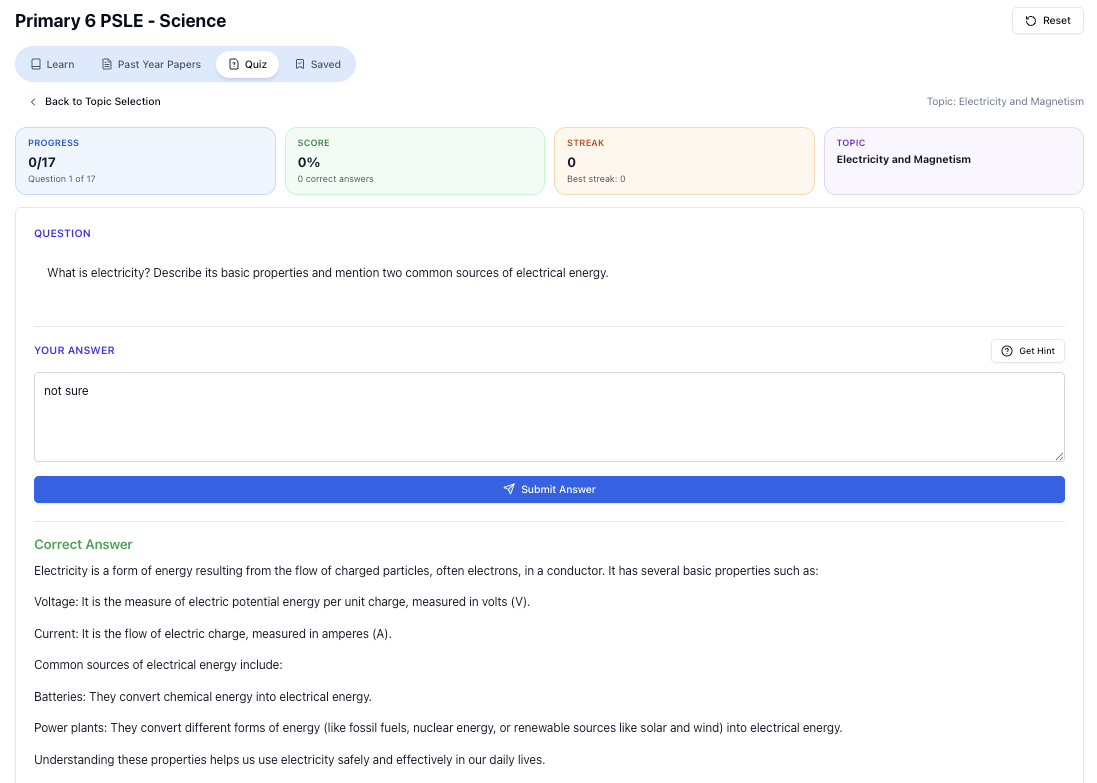
“Practice PSLE Science questions and get clear, step-by-step answers instantly.”
👉 Try a question now and see how fast you can improve.
Ready to practise?
If you want a Singapore-focused AI tutor you can use immediately (website, no sign-up), try Tutorly here:
Related Articles
Free on Tutorly.sg
Practise with step-by-step help — free to start
On Tutorly.sg/app you can practise unlimited Singapore syllabus questions, get instant explanations when you are stuck, and use past-year papers — no sign-up needed to start.
- ✓ PSLE, O Level, A Level, and more
- ✓ Step-by-step working when you are stuck
- ✓ Works on phone and laptop