

Free on Tutorly.sg
Practise with step-by-step help — free to start
On Tutorly.sg/app you can practise unlimited Singapore syllabus questions, get instant explanations when you are stuck, and use past-year papers — no sign-up needed to start.
- ✓ PSLE, O Level, A Level, and more
- ✓ Step-by-step working when you are stuck
- ✓ Works on phone and laptop
If you’re doing JC Math in Singapore, you already know this:
The A Level H 2 Math paper is not just about knowing formulas. It’s about how fast you can see patterns, choose the right method, and avoid wasting time on long, messy working.
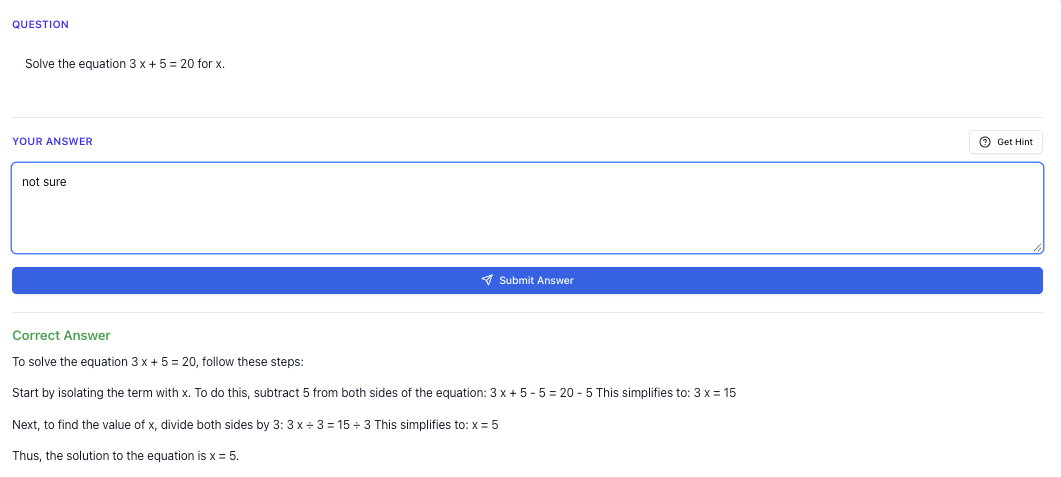
“Stuck on a question? See simple explanations that help you understand fast.”
👉 Give it a try and turn confusion into clarity in minutes.
This is where smart shortcuts matter.
In this guide, I’ll walk you through A Level math shortcuts that actually help in the exam, not just “nice to know” tricks. We’ll focus on fast methods for tough questions, especially those that usually eat up 10–15 minutes each.
And whenever you want instant, step-by-step solutions aligned to the MOE A Level syllabus, you can use Tutorly.sg, a AI tutor website built specifically for Singapore students:
- Main A Level AI tutor page: https://tutorly.sg/ai-tutor-singapore
- Go straight to the web app: https://tutorly.sg/app
Tutorly.sg has already been used by thousands of students in Singapore, and it’s even been mentioned on CNA (Channel NewsAsia), so you’re not just trying some random overseas tool.
Let’s jump into the shortcuts.
Step-by-step tutorial
In this section, I’ll show you practical shortcuts for common A Level H 2 Math topics:
- Differentiation (curve sketching & optimisation)
- Integration (especially definite integrals)
- AP/GP & summation
- Probability & binomial shortcuts
- Vectors (fast ways to check perpendicular / parallel / planes)
Each one comes with a step-by-step way to apply the shortcut so you can use it under exam pressure.
1. Differentiation shortcuts: curve sketching & optimisation
Shortcut A: Read the derivative like a story
Instead of blindly differentiating and then staring at 𝑓'(𝑥), train yourself to “read” 𝑓'(𝑥) to see the graph shape quickly.
Example type:
Given , sketch the possible shape of 𝑓(𝑥).
Fast method (no full integration needed):
-
Find critical points from
when
So (double root), (simple root). -
Use multiplicity to guess turning behaviour
- Simple root (power 1): graph of 𝑓(𝑥) changes direction (max or min).
- Double root (power 2): graph touches and turns but doesn’t change sign in 𝑓'(𝑥) (point of inflection with stationary point).
So at:
- : likely a max or min.
- : likely a stationary point of inflection.
- Check sign of 𝑓'(𝑥) in intervals
- Choose test points: e.g. .
- You don’t need exact values, just signs.
For :
, (𝑥+2) < 0 → 𝑓'(𝑥) < 0 (decreasing)
For :
, (𝑥+2) > 0 → 𝑓'(𝑥) > 0 (increasing)
For :
, (𝑥+2) > 0 → 𝑓'(𝑥) > 0 (increasing)
- Summarise behaviour quickly
- From to -2: decreasing
- At : turning point (min or max?)
- From -2 to : increasing
- At : stationary point of inflection (increasing both sides)
- After : still increasing
So likely: local minimum at , then graph rises, flattens at , and continues rising.
Why this is a shortcut:
You skip integrating 𝑓'(𝑥) completely. In the A Level exam, if the question only needs you to describe the shape, this method is much faster.
Shortcut B: Optimisation – differentiate the right variable
In many JC questions, the time-killer is setting up the wrong variable or having too many variables.
Example type:
A rectangle is inscribed under the curve in the first quadrant, with one vertex at the origin and the opposite vertex on the curve. Find the maximum area.
Fast method:
-
Choose one variable only
Let the top-right vertex be (𝑥, 𝑦) on the curve in the first quadrant.
So , with 𝑥 > 0. -
Express area in terms of 𝑥 only
Rectangle has width 𝑥 and height 𝑦.
-
Differentiate once and solve
Set to zero:
12 - 3𝑥^2 = 0 \Rightarrow 𝑥^2 = 4 \Rightarrow 𝑥=2 \(\text{since } 𝑥>0) -
Check that it’s a maximum (quick 2nd derivative test)
At , → maximum. -
Find maximum area
Shortcut mindset:
Always try to:
- Express the quantity to optimise (area, volume, cost) in one variable.
- Differentiate once, solve, and use 2nd derivative test quickly.
If you’re stuck, you can throw the expression into Tutorly.sg at https://tutorly.sg/app and ask it to show you the full step-by-step differentiation and reasoning for the maximum.
2. Integration shortcuts: spotting patterns quickly
Shortcut C: Use symmetry for definite integrals
For many A Level questions, especially with even/odd functions, you can save a lot of time.
Key facts:
- A function is even if → graph symmetric about the 𝑦-axis.
- A function is odd if → symmetric about the origin.
Shortcuts:
-
If 𝑓(𝑥) is odd, then
-
If 𝑓(𝑥) is even, then
Example:
Evaluate .
- is odd, is even → product of odd and even is odd.
- So is odd.
- Therefore .
No integration by parts needed. Instant 1–2 marks.
Shortcut D: Substitution spotting
A lot of tough-looking integrals are just chain rule in reverse.
Pattern to look for:
If you see something like or , think substitution.
Example:
Evaluate .
-
Spot the inner function:
Its derivative is → already present outside. -
Substitute:
Let . -
Integral becomes:
In the exam, once you see this pattern enough times, you can almost do it mentally.
If you’re not sure what substitution to use, you can ask Tutorly.sg to “show substitution method for this integral” and it will walk you through the steps.
3. AP/GP & summation shortcuts
Shortcut E: Use the formula that cancels fastest
Instead of always writing everything out, try to choose the formula that cancels nicely.
Example type (GP):
Find the sum of the first 𝑛 terms of a GP with first term 𝑎 and common ratio .
You might know both forms:
Shortcut:
Use the version that avoids negative signs or awkward denominators.
- If 0 < 𝑟 < 1, I usually use .
- If 𝑟 > 1, I often use .
It’s the same formula, but in algebra-heavy questions, this saves time and reduces sign mistakes.
Shortcut F: Sum to infinity – think “ratio only”
If |𝑟|<1, then .
Fast thinking:
When you see multiple GPs in one question, quickly focus on the ratio and first term only.
Example:
An infinite GP has first term 5 and sum to infinity 20. Find 𝑟.
Use .
So
.
No need to think about 𝑛 at all.
4. Probability & binomial shortcuts
Shortcut G: Use complement when “at least” or “at most” is messy
Pattern:
If you see “at least 1”, “at least 2”, etc., and the direct method gives many terms, try the complement.
Example:
, find .
Instead of summing , use:
So .
One term instead of ten.
Shortcut H: Mean and variance of binomial – don’t expand
You should know these by heart:
- If ,
In many A Level questions, they ask for mean and variance first, then use them later for approximations or comparisons. Don’t start expanding the whole distribution.
5. Vectors shortcuts
Shortcut I: Use dot product to check perpendicular quickly
If two vectors and are perpendicular, then .
In the exam, instead of drawing or overthinking geometry, quickly compute dot product.
Example:
Check if \vec{a} = \begin{pmatrix}1\2\-1\end{pmatrix} is perpendicular to \vec{b} = \begin{pmatrix}2\-1\0\end{pmatrix}.
Free on Tutorly.sg
Practise with step-by-step help — free to start
On Tutorly.sg/app you can practise unlimited Singapore syllabus questions, get instant explanations when you are stuck, and use past-year papers — no sign-up needed to start.
- ✓ PSLE, O Level, A Level, and more
- ✓ Step-by-step working when you are stuck
- ✓ Works on phone and laptop
So they are perpendicular.
Shortcut J: Line–plane intersection – plug and solve
To find where a line meets a plane, the fastest method is usually:
- Write the line in parametric form (if not already).
- Substitute 𝑥, 𝑦, 𝑧 into plane equation.
- Solve for parameter (e.g. ), then substitute back.
Example:
Line l: \vec{r} = \begin{pmatrix}1\2\3\end{pmatrix} + \lambda \begin{pmatrix}2\1\-1\end{pmatrix}
Plane .
Find point of intersection.
-
Parametric form:
-
Substitute into plane:
(1 + 2\lambda) + (2 + \lambda) + (3 - \lambda) = 6
1+2+3 + (2\lambda + \lambda - \lambda) = 6
6 + 2\lambda = 6 \Rightarrow 2\lambda = 0 \Rightarrow \lambda = 0. -
Substitute back into line:
.
No need for fancy vector geometry; just plug and solve.
Exam strategy guide
Shortcuts are powerful only if you know when to use them. Here’s how to structure your A Level H 2 Math exam strategy around speed and accuracy.
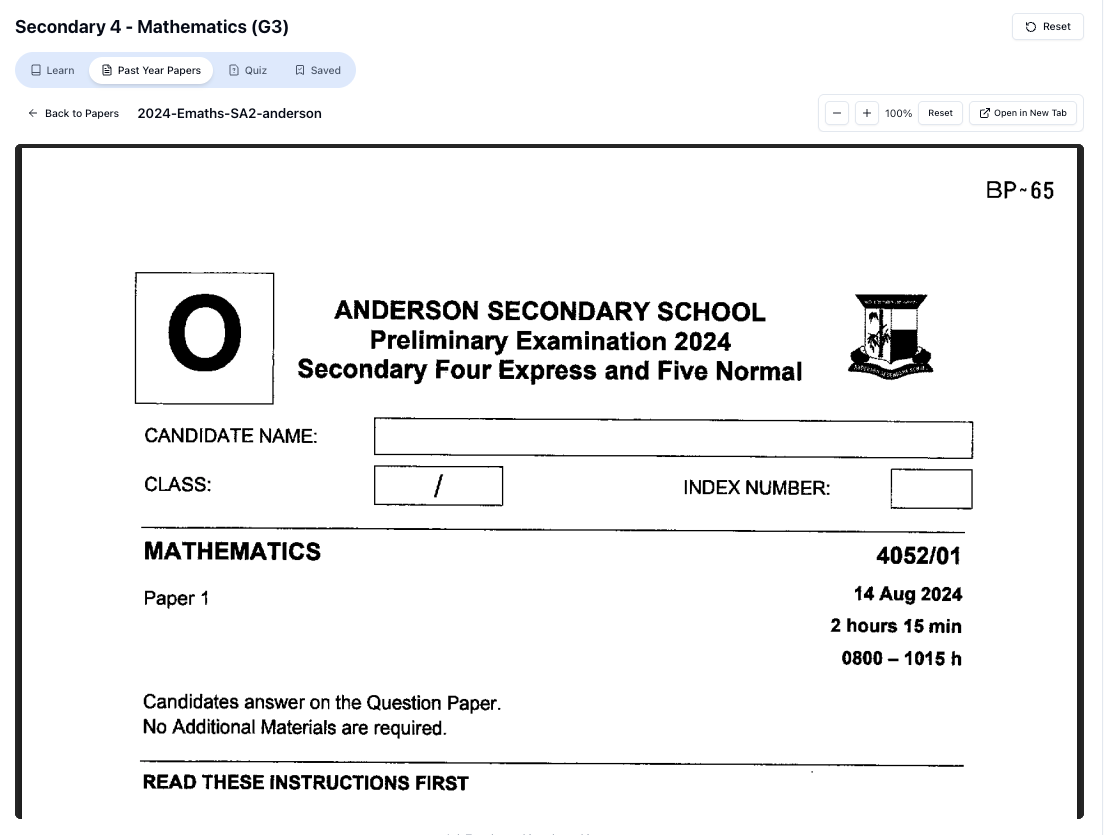
“Access more than 1000+ past year papers to practice”
👉 Start a paper today and test yourself like it’s the real exam.
1. First 10 minutes: scan and mark
When you get the paper:
- Flip through all questions quickly.
- Put a small mark:
- ✔ for “I can do this confidently”
- ? for “I think I can, but need time”
- ! for “Looks tough / unfamiliar”
This helps you:
- Secure easy marks first.
- Avoid getting trapped in a 15-mark question too early.
2. Do “guaranteed” questions first
Start with the ✔ questions:
- Standard differentiation/integration
- Straightforward AP/GP
- Routine probability questions
- Simple vectors (dot product, basic line/plane)
Your goal is to build momentum and confidence, and lock in marks early.
Use shortcuts here to move even faster:
- Symmetry in integrals
- Complement rule in binomial
- Dot product for perpendicularity
- Direct formulas for mean/variance
3. For tough questions: recognise the pattern first, don’t brute-force
When you face a ? or ! question, pause for 20–30 seconds and ask:
- Is this a standard type? (e.g. optimisation, show-that inequality, area under curve)
- Which topic is it really testing? (e.g. substitution, partial fractions, conditional probability)
Once you identify the pattern, choose the matching shortcut:
- Optimisation → express in 1 variable, differentiate once
- Definite integral with symmetry → check even/odd
- Probability “at least” → try complement
- Vectors with angles → dot product, not geometry
If after 2–3 minutes you still can’t see the path, move on and come back later. Don’t let one question destroy your timing.
4. Time budgeting (realistic for Singapore A Levels)
For H 2 Math Paper 1 or 2 (3 hours, 100 marks), a rough guide:
- First 30–40 min: clear as many short, straightforward parts as possible.
- Next 1.5 hours: tackle medium and long questions systematically.
- Last 30–40 min:
- Return to stuck questions.
- Double-check answers where you know you’re weak (e.g. algebraic manipulation, sign errors).
You don’t need to be perfect, but you must not leave many blank parts that you could have attempted with a bit more time.
Shortcuts are not about skipping working; they’re about choosing the fastest valid method.
5. How to practise shortcuts effectively (not just memorise)
If you want these methods to be automatic:
- Pick 1 topic per day (e.g. binomial, vectors, optimisation).
- Do 3–5 exam-style questions focusing on using the shortcut.
- After each question, reflect:
- Did I spot the shortcut early?
- If not, what clue did I miss?
You can use Tutorly.sg to generate more questions of the same type and difficulty:
- Go to https://tutorly.sg/ai-tutor-singapore
- Select your level and subject (e.g. JC 2 H 2 Math).
- Ask for:
“Give me 5 A Level style optimisation questions with increasing difficulty and show full worked solutions.”
Tutorly will give you questions plus step-by-step solutions, so you can compare your method with the faster method.
Worksheet practice
Let’s go through some practice questions, including hard variants similar to what you might see in A Level prelims or the actual exam.
Try them on your own first, then use these as model solutions or ask Tutorly.sg to generate similar ones.
Practice Set 1: Differentiation & optimisation
Q 1 (Medium)
The curve .
- Find the coordinates of the stationary points.
- Determine the nature of each stationary point.
Outline of shortcut solution:
- Differentiate:
Set → or .
“Doing Secondary Science? Pick a topic and practise like it’s a real exam — with clear answers right after.”
👉 Try Tutorly now and start a Science topic in seconds.

-
Find 𝑦-coordinates:
- At : .
- At : .
So stationary points: (1,4) and (3,0).
-
Use sign chart (fast):
For 𝑥<1, choose : → increasing.
Between 1 and 3, pick : (+)(-) = - → decreasing.
For 𝑥>3, pick : (+)(+) = + → increasing.
So:
- (1,4): increasing → decreasing → local maximum
- (3,0): decreasing → increasing → local minimum
Q 2 (Harder optimisation)
A cylindrical container without a lid is to have a volume of . The base radius is 𝑟 cm and the height is cm. The material for the base costs twice as much per as the material for the curved surface. Find the value of 𝑟 and that minimise the total cost.
Outline of shortcut approach:
-
Volume: .
-
Cost:
- Base area: (cost factor 2𝑘 per ).
- Curved surface area: (cost factor 𝑘 per ).
Total cost 𝐶 (in units of 𝑘):
-
Substitute :
-
Differentiate and set to zero:
Set :
So .
-
Find :
-
2nd derivative test (quick):
$$𝐶''(𝑟) = 4\pi + 2000𝑟^{-3} > 0 → minimum.
This is exactly the kind of question where setting up the expression in one variable and differentiating once is your main shortcut.
Practice Set 2: Integration
Q3 (Medium with symmetry)
Evaluate .
Shortcut solution:
All terms are odd powers of 𝑥, so the whole integrand is an odd function.
Therefore,
Q 4 (Harder substitution)
Evaluate .
Shortcut solution:
-
Spot inner function: ; derivative is 6𝑥.
-
Substitute:
Let $u = 1 + 3 x
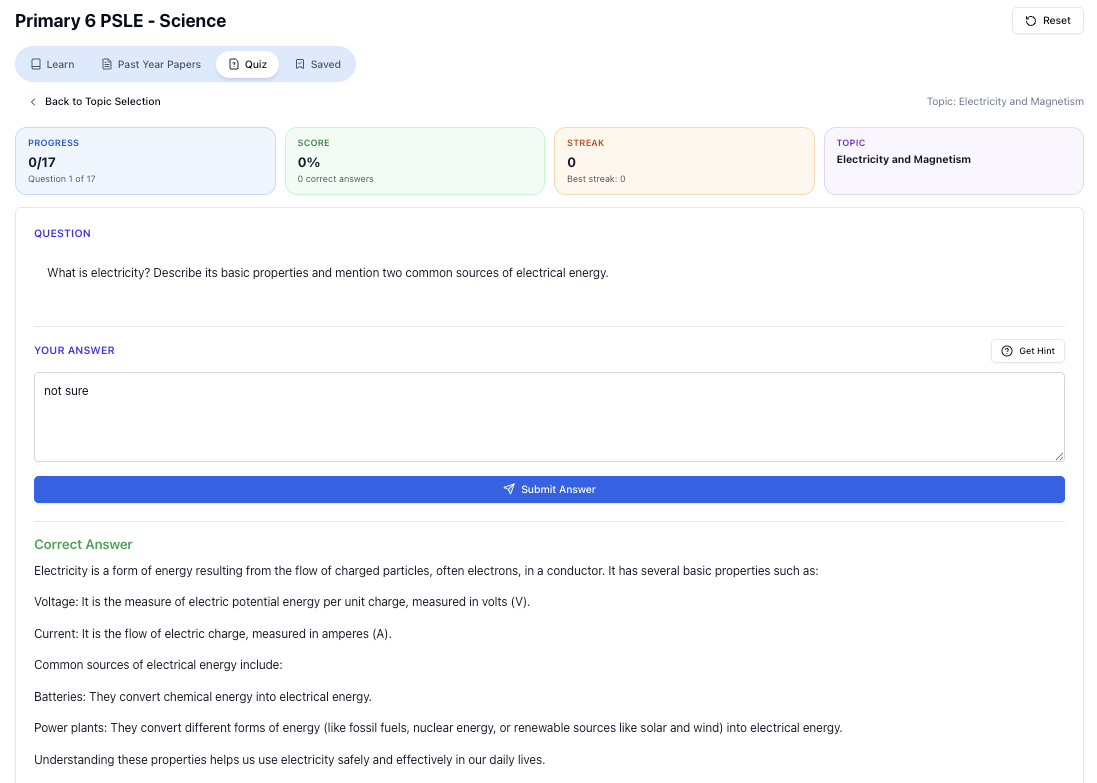
“Practice PSLE Science questions and get clear, step-by-step answers instantly.”
👉 Try a question now and see how fast you can improve.
Ready to practise?
If you want a Singapore-focused AI tutor you can use immediately (website, no sign-up), try Tutorly here:
Related Articles
Free on Tutorly.sg
Practise with step-by-step help — free to start
On Tutorly.sg/app you can practise unlimited Singapore syllabus questions, get instant explanations when you are stuck, and use past-year papers — no sign-up needed to start.
- ✓ PSLE, O Level, A Level, and more
- ✓ Step-by-step working when you are stuck
- ✓ Works on phone and laptop